Concept Exploration · UX Architect
Redesigning Smart TV Text Input
Balancing Speed and Accessibility Through Zone-Based Interaction
Try Live Prototype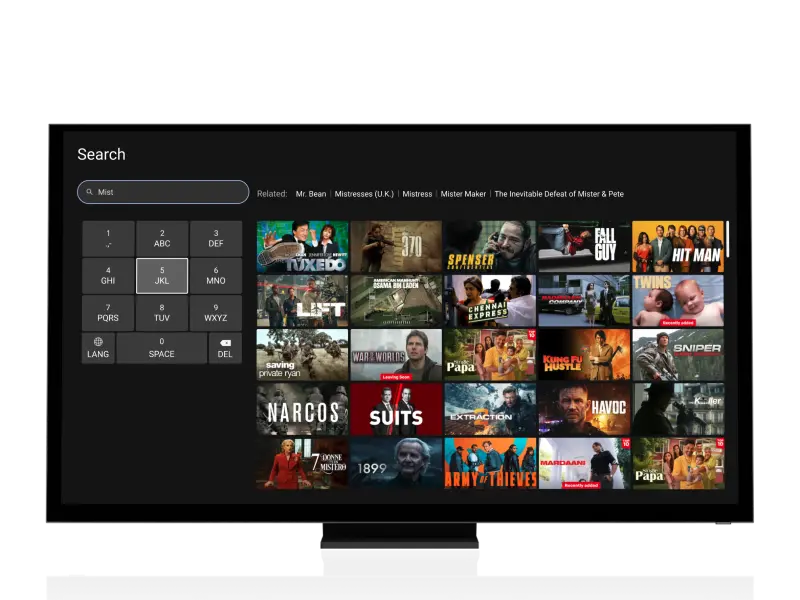
TL;DR
Design a text input solution for Smart TV that serves users with varying motor control abilities—without requiring additional hardware.
The Problem
Smart TV QWERTY keyboards require 23+ D-pad clicks for a single word. 8-10 foot viewing distance amplifies every targeting error. Users with reduced motor control are effectively locked out of text input.
The Research
Analyzed 4 Smart TV platforms hands-on + secondary research. AI keystroke simulation modeled 3 user groups across 3 layouts to identify optimal zone sizing and prediction timing.
The Solution
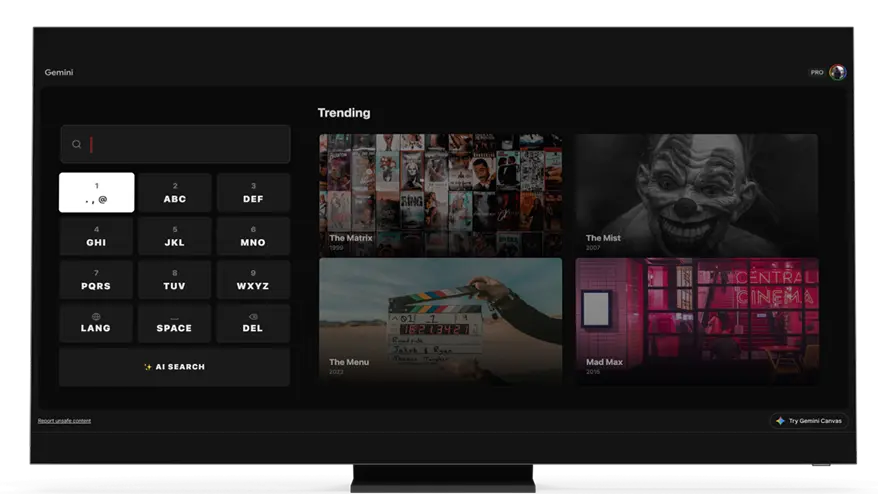
A modified T9 zone-based keyboard with 9 high-tolerance zones (80-100px), predictive text after 2 inputs, and infinite D-pad loop navigation — deployable as a software update.
Click reduction vs QWERTY
Increased success rate
Cognitive load reduction (9 vs 26)
Competitive Analysis
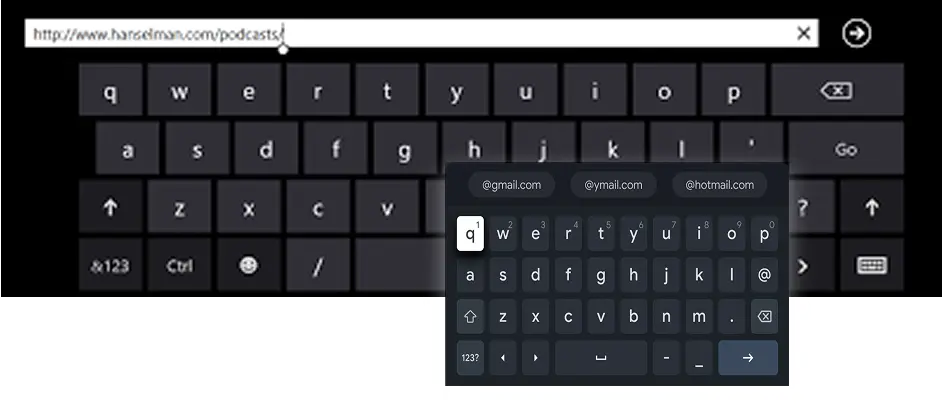
Analyzed 4 Smart TV platforms hands-on + 3-4 via secondary research to identify existing patterns and gaps.
Constraint Mapping
Physical Constraints
- D-pad: 4-directional, no fine precision
- Distance: 8-10 ft amplifies targeting errors
- Hardware: Limited animation/compute
User Constraints
- Motor control variance (standard → reduced → tremors)
- Cognitive load (scanning 26 keys vs grouped zones)
- Learning curve (familiar vs novel patterns)
Technical Constraints
- Legacy TV support (5+ years old)
- Sub-100ms response time
- Minimal memory footprint
A zone-based T9 approach could provide larger hit targets while maintaining competitive speed through predictive text.
Validation Methodology
AI-Based Keystroke Simulation
Why AI Simulation
- Simple interaction model (D-pad + select)
- Predictable motor behavior parameters
- Rapid iteration before user testing
User Groups Modeled
Layouts Compared
- Modified T9 (80-100px zones)
- Standard QWERTY (predictive)
- 6x5 Alphabetical Grid
Finding #1: Zone Size Threshold
80px zones reduced targeting errors 57% vs 60px zones
→ Set minimum to 80px (compromises character preview)
Finding #2: Prediction Timing
Predictions after 2-3 inputs reduced navigation steps 40%
→ Show after 2nd input (vs 1st, which caused distraction)
Finding #3: Accessibility Win
T9 zones improved tremor user accuracy 62% vs QWERTY
→ Prioritise precision over raw speed
Simulation guided direction. Final decisions validated with real users.
Design Tensions
Precision vs Speed
Familiarity vs Novelty
Density vs Legibility
Prediction vs Control
Multi-Language
Strategic Summary
Modified T9: Final Design
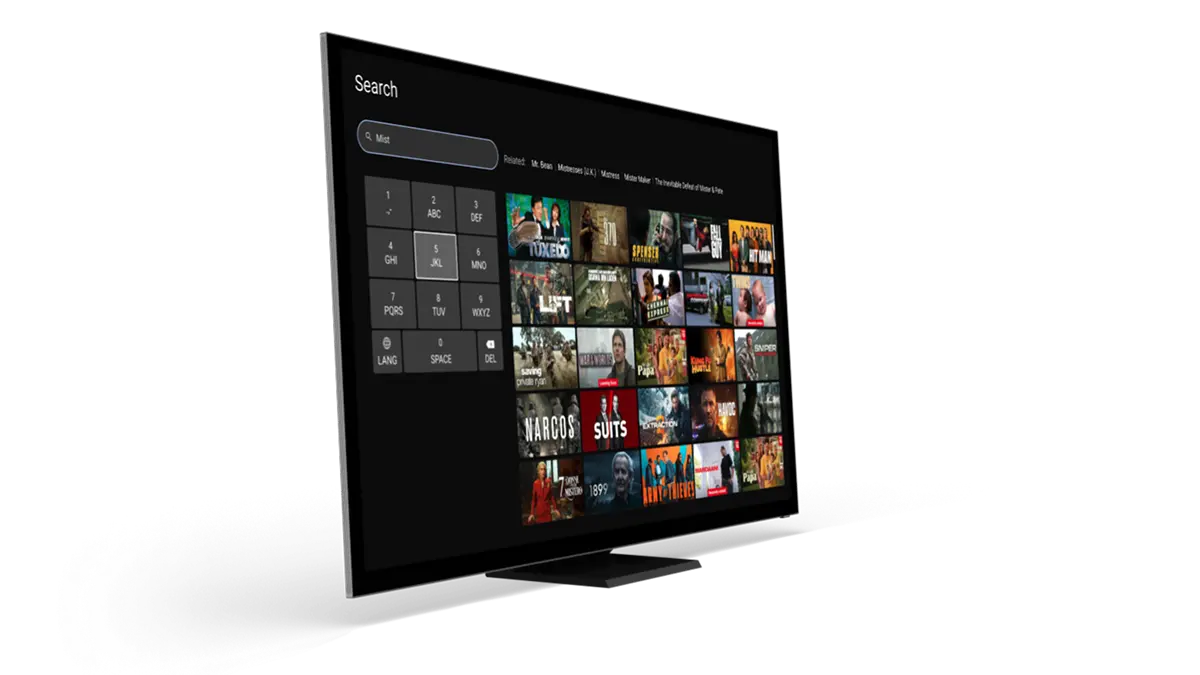
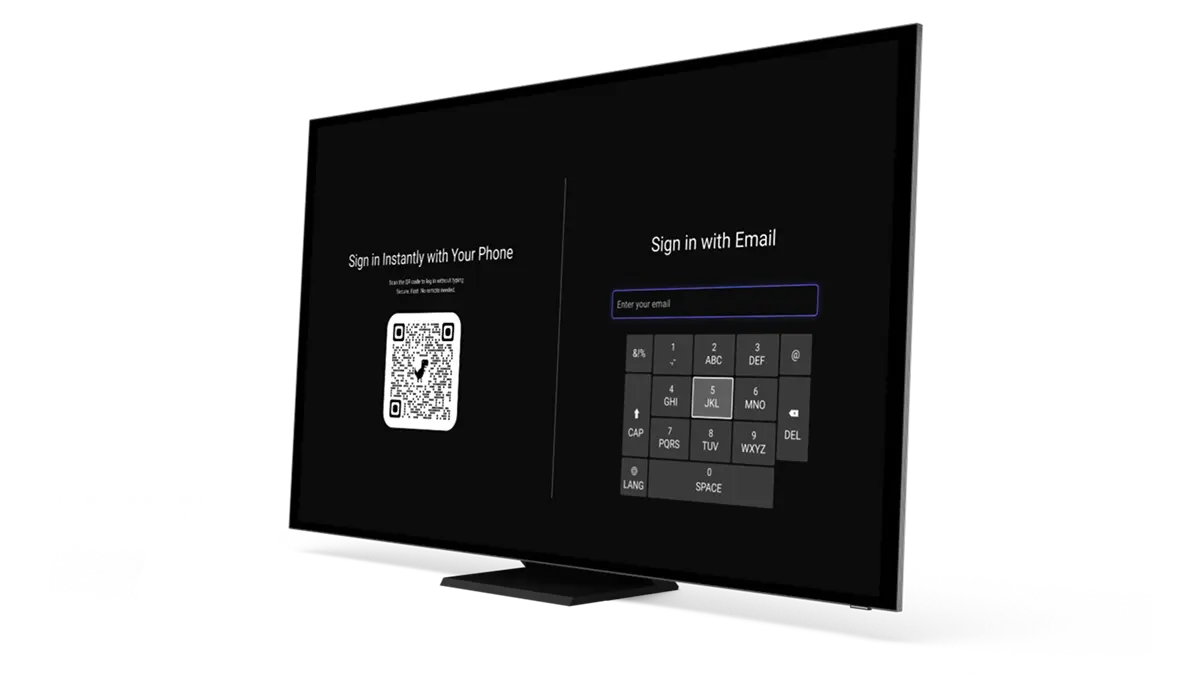
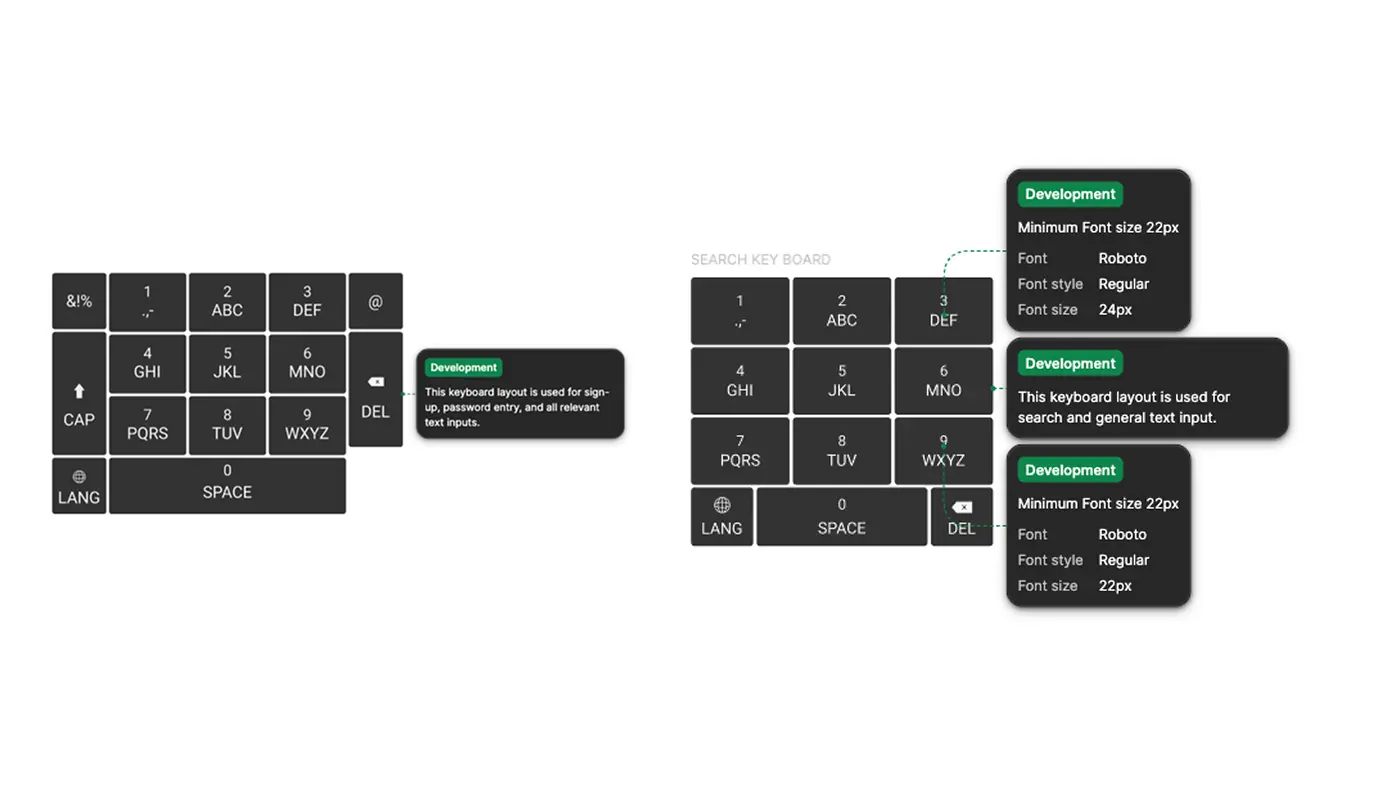
Left: T9 zone layout with focus state · Right: QWERTY (23 clicks) vs T9 + prediction (8 clicks) for 'Netflix'
Zone-Based Layout
- 9 primary zones grouped by T9 familiarity
- 80-100px hit targets
- Clear focus states with high contrast (11.4:1)
Predictive Layer
- Word suggestions after 2-3 inputs
- Context-aware (search terms, app names)
- Manual fallback always available
Accessibility Integration
- Font size: 32-48px
- Reduced motion option
- QWERTY toggle preserved
Design System
- Reusable components
- Responsive across screen sizes
- Minimal performance overhead
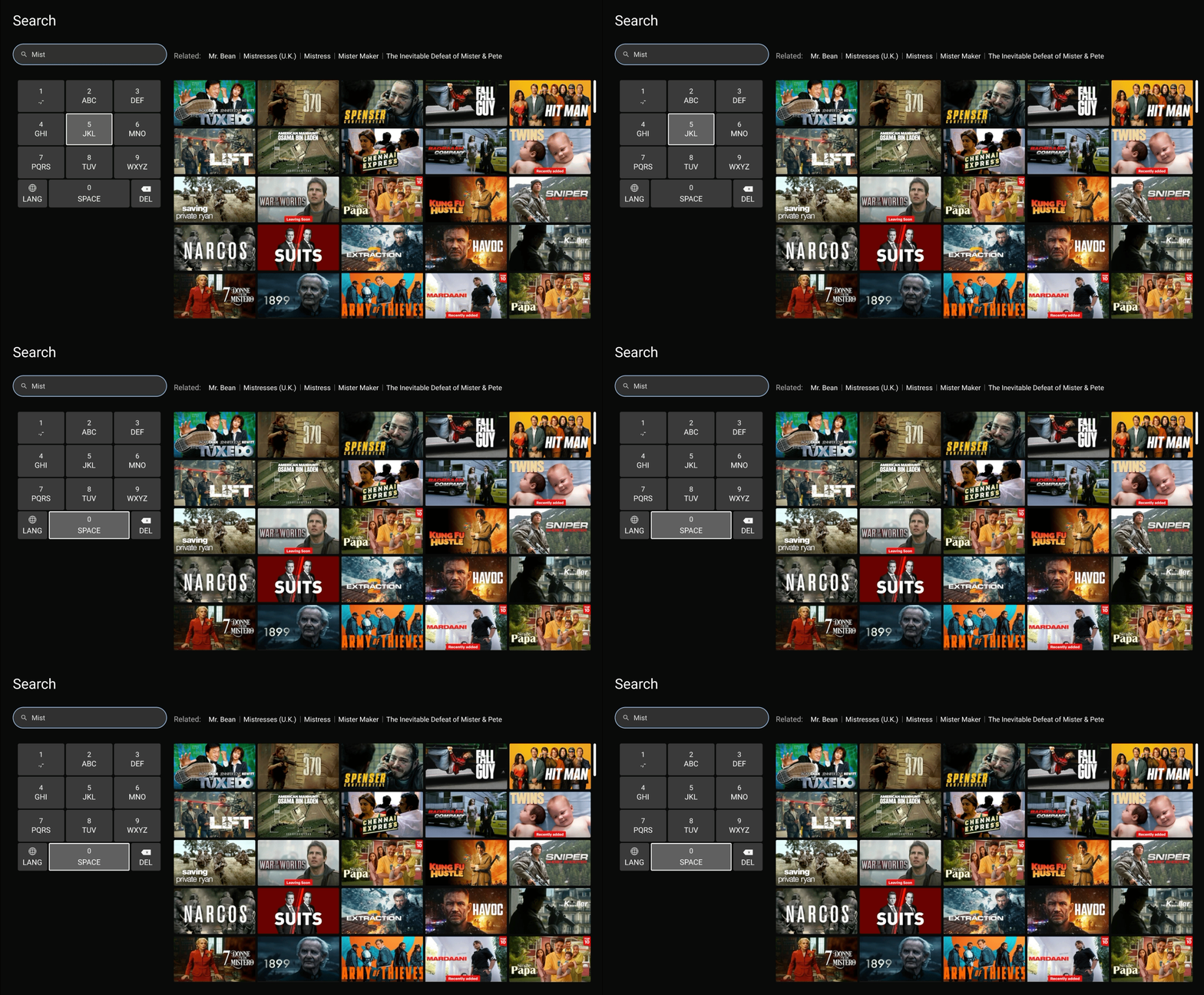
D-Pad Navigation Logic
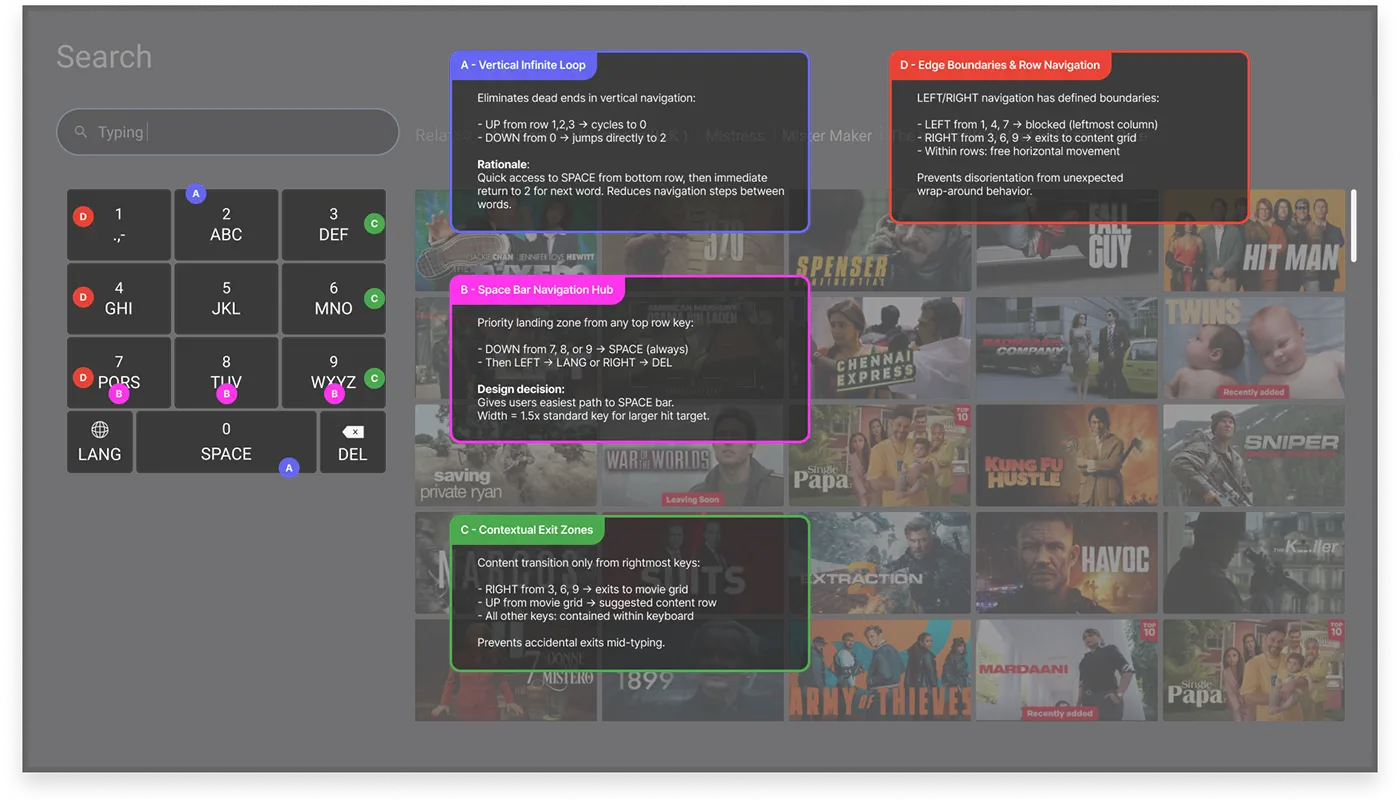
A · Vertical Infinite Loop
UP from 1,2,3 → cycles to 7,8,9. DOWN from 0 → jumps to 2. Eliminates dead ends.
B · Space Bar Navigation Hub
DOWN from 7/8/9 → SPACE always. LEFT → LANG, RIGHT → DEL. Width = 3x standard key.
C · Contextual Exit Zones
RIGHT from 3/6/9 → exits to movie grid. All other keys contained within keyboard.
D · Edge Boundaries
LEFT from 1/4/7 → blocked. No diagonal jumping. Predictable spatial model.
Validation Verdict
Testing Protocol
- 3 standard users
- 2 seniors (60+)
- 2 non-tech-savvy seniors
Task Design
- Compared vs current TV keyboard
- Measured: completion time, error rate
- Collected subjective feedback
Key Finding
Initial learning curve (~2-3 searches) before users adapted to zone pattern, but speed gains appeared immediately after adaptation. Implemented "how to use" hint at the bottom.
Reflection
What This Validated
- Zone-based approach serves diverse motor control without fragmentation
- 80px minimum zone size balances precision + legibility
- Vertical infinite loops reduce correction attempts (vs edge stops)
What Real Launch Would Require
- Multi-language zone efficiency testing (RTL, logographic scripts)
- Legacy hardware performance validation (2015+ TV models)
- Long-term retention study (QWERTY vs T9 preference after 30 days)
- WCAG 2.1 AA accessibility audit
Pattern Recognition
✅ Use this pattern when:
- D-pad-constrained interfaces (game consoles, kiosks, car systems)
- Diverse motor control user base
- Predictable input domain (search, not prose)
❌ Don't use when:
- Touch-first interfaces
- Complex text composition (emails, documents)
- Single-user-profile optimisation